Everything in the game in one place: the screens, every button and option, levels and ranks, boards, tokens, tournaments and Turbo Live. Last updated 14 November 2026. The detailed pages are How ratings work, Safety & reporting and the Terms.
1. Getting started
Age. ChesStresS is for players aged 13 and over. On the first start you enter your year of birth (the month only if the year is not enough). It is checked on your device and not stored.
Guest or account. You can play straight away as a guest: games against the computer, puzzles, the school and free Turbo Live events work without an account (tournaments need one), and your progress stays on this device. A free account (Profile › Account) needs only a nickname: no email, no password. It gives you CSR ratings, rated online games, tournaments, Turbo Live rated events and leaderboards.
Recovery code. When you create an account you see a recovery code once. Write it down: it is the only way to get your account back on a new phone.
Moving pieces. Drag a piece, or tap it and then tap the square. The squares it can go to are marked.
Premove. In live games and against the computer you can enter your next move while it is still your opponent's turn: move the piece as usual and both squares get a dark frame. It is played the instant their move arrives, if it is still legal (a pawn promotes to a queen). Tap the board to take it back. Useful in bullet and blitz.
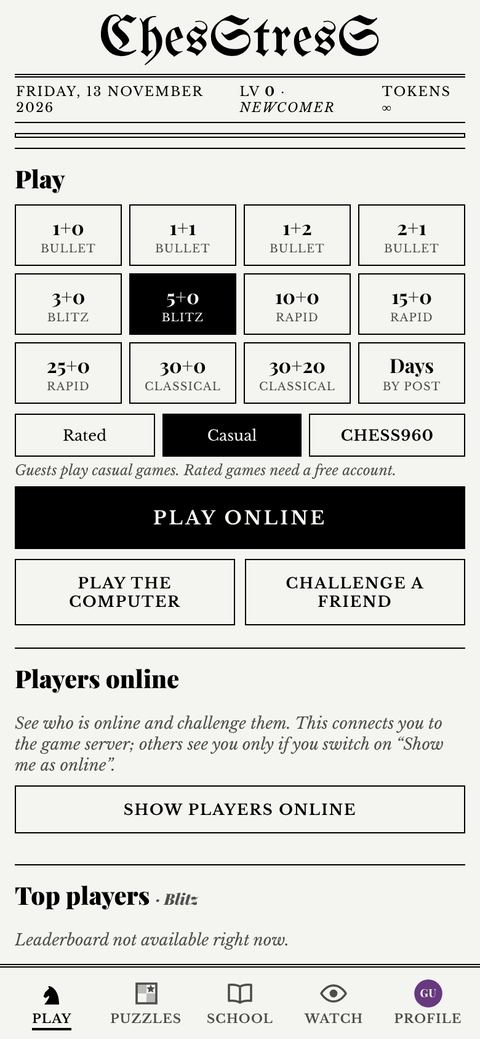
The home screen (Play): time controls, Play online, the computer, a friend
2. The five screens
The bar at the bottom has five tabs:
Tab
What is there
Play
The home screen: play the computer, play online, tournaments, Turbo Live, “Players online”, the top 10 of your speed, and a Your game bar with the “Open” button when you have a game running. Under “More to play”: Tournaments, Turbo Live, Puzzles, School, Watch, Turbo practice, Four Stressed, Wild Stressed, Online & post, Computer options.
Puzzles
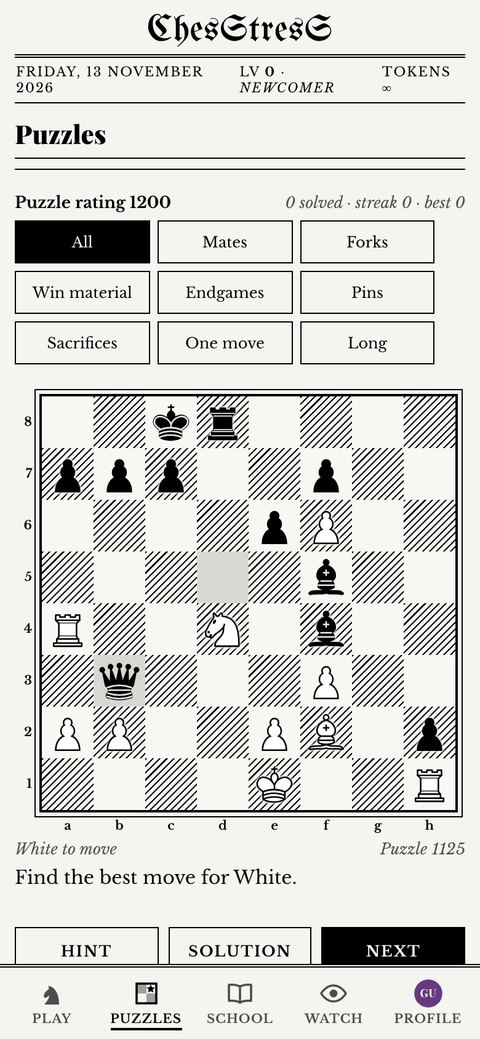
Over 3,400 chess puzzles, from easy to hard.
School
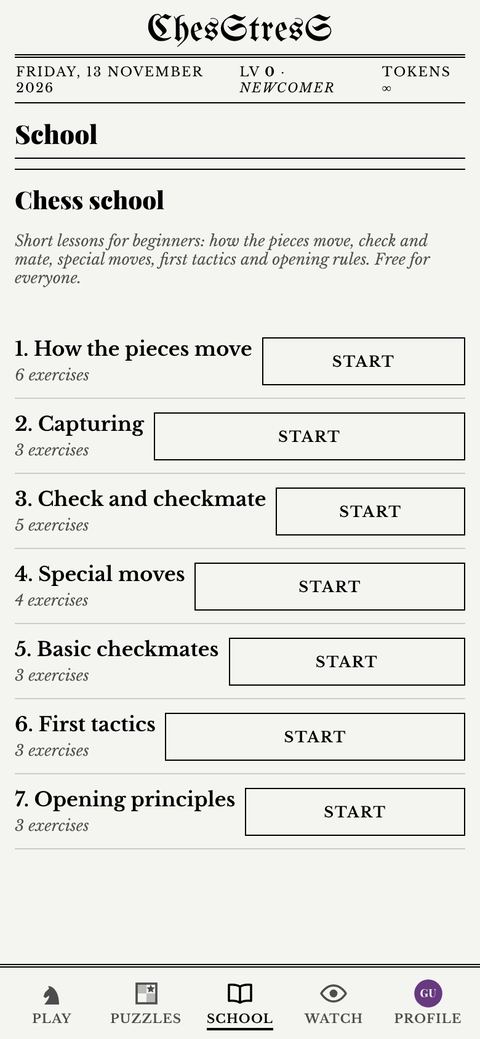
Lessons for beginners, step by step on a real board.
Watch
Live games of other players and recent results (the Press Box), and a newspaper clipping of a game to share.
Profile
Your account, saved games, game review, leaderboards, blocked players, boards and themes, tokens, settings and this guide.
3. Playing the computer
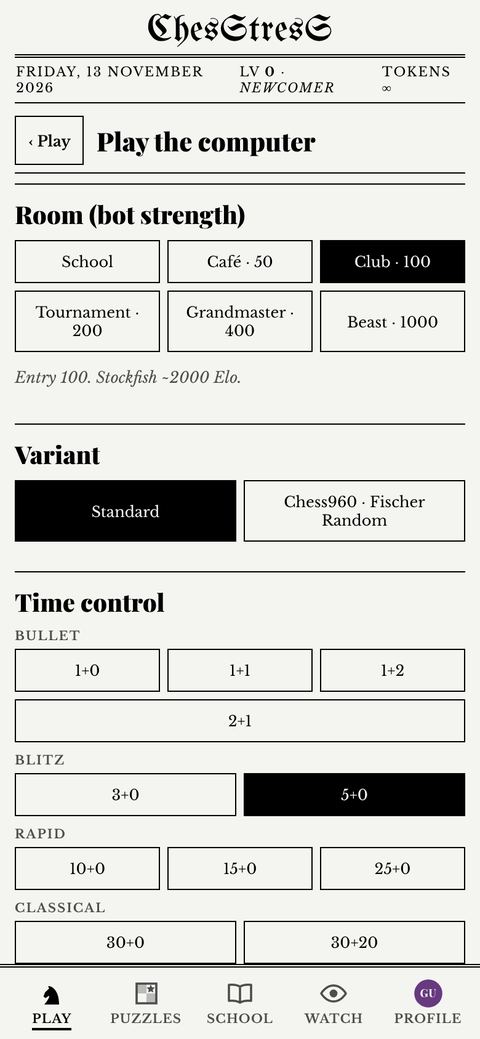
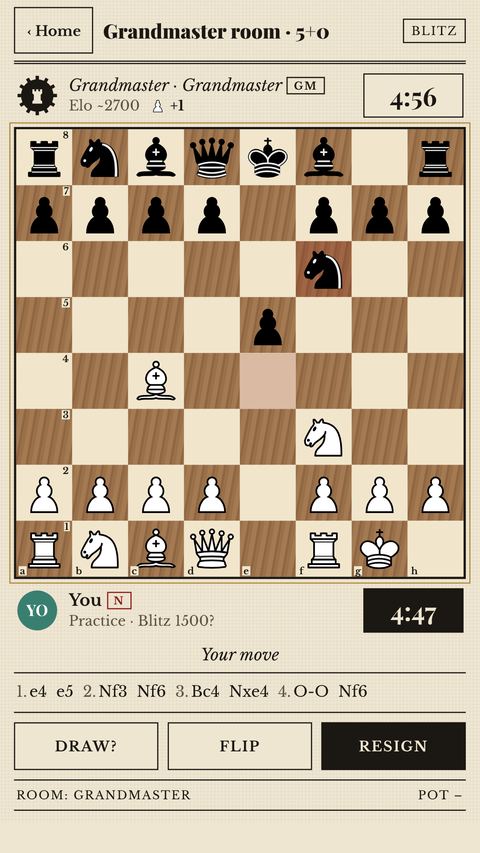
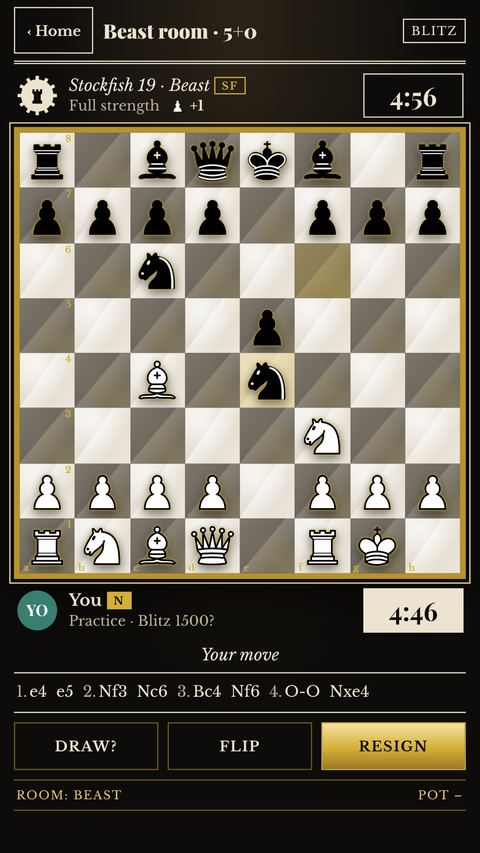
Choose a room (the computer's strength), your colour (White, Black or Random), a time control and the variant (standard chess or Chess960), then start. The computer is Stockfish 19, running on your device.
Room
Computer
Entry (tokens)
Win pays
School
Stockfish ~1350
free
20
Café
Stockfish ~1700
50
100
Club
Stockfish ~2000
100
200
Tournament
Stockfish ~2300
200
400
Grandmaster
Stockfish ~2700
400
800
Beast
Stockfish 19, full strength
1,000
2,000
Prizes. A win by checkmate pays twice the entry; any other win (for example on time) and a draw give the entry back; a loss pays nothing. Room entries can be paid only with tokens you earned by playing, not with bought tokens. There is a daily limit on what you can win from computer games.
Practice rating. Timed games against the computer change a practice rating kept on your device. It is not your CSR and never appears on leaderboards.
Home during a game. “‹ Home” takes you back to the home screen and the game keeps going (the clock too). Tap Open in the “Your game” bar on the home screen to go back to it.
Play the computer: room, variant and time control
4. Game buttons
Button
Against the computer
Online
Cancel
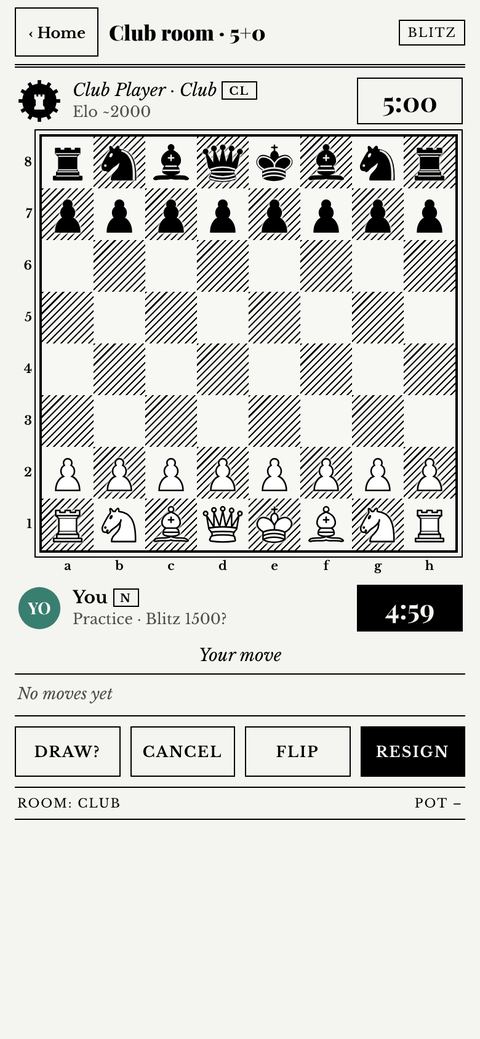
Only before your first move. Ends the game with no result, nothing is saved and your rating does not change. The entry comes back if you cancel within 90 seconds of the start.
Only while neither player has made two moves. Ends the game with no result and no rating change.
Draw?
The computer accepts a draw only after 40 moves and when material is level (within one pawn).
Offers a draw to your opponent (a few times per game).
Undo
Takes back your last move and the computer's reply. Only in games without a clock.
–
Flip
Turns the board round.
Resign
Ends the game as a loss (you are asked to confirm).
A game against the computer: Cancel is there until your first move
5. Playing online
Quick pairing. Pick a time control and Rated or Casual, and the game finds an opponent near your rating.
Rated or casual. Rated games between two accounts change CSR; casual games, Chess960 and games with guests never do.
Direct challenges. Tap a name in “Players online” to challenge them. Players only receive challenges if they switched on “Accept challenges” in Settings, and never from someone they blocked.
Challenge a friend. Makes a link you can send to anyone. These games are never rated.
Correspondence. Days per move instead of minutes. You can leave and come back; the game waits on the server.
Chat. Only preset phrases, nobody can type to you. You can mute an opponent or switch chat off in Settings.
Leaving games. Leaving several live games in a short time pauses rated pairing for a while. It is a game rule, not a penalty (details).
Where. Online play is open in the United Kingdom, Australia, New Zealand and Poland. Everything else works everywhere.
6. Time controls
“5+0” means 5 minutes each and 0 seconds added per move. The speed of a game decides which of your ratings it changes.
Speed
Time controls
Bullet
1+0, 1+1, 1+2, 2+1
Blitz
3+0, 5+0 (the default)
Rapid
10+0, 15+0, 25+0
Classical
30+0, 30+20
Other
Custom (your own minutes and increment), no clock (unrated)
7. Tournaments
Sit & Go knockout. 4 or 8 players; it starts when the table is full. Prizes: see the rule below.
Arena. A fixed time; you are paired again as soon as your game ends, and the most points win. A prize needs at least 3 games really played in that Arena (2 in a very short one); a game lost by not turning up does not count. Prizes: see the rule below.
Swiss. Standard chess only. Everybody plays every round (3 to 11 rounds); players on the same points meet, nobody is knocked out. Ties are broken by Buchholz, then Sonneborn-Berger. Entries close when round 1 starts. There are regular Swiss events at set time controls, and with a Pro membership you can create your own with your own time control and number of rounds, public or private (by code or link); a tournament you create is always free.
Entry and prizes. Tournaments created by players are always free; only official tournaments have an entry fee, and only from 4 players. Prizes go to the top three only. With 4 players the winner takes the whole pool; with 5 to 8 players 65% and 35%; with 9 or more 50%, 30% and 20%. The pool is exactly the entry fees collected; nothing is added or kept. If nobody can be paid a prize, every entry fee is refunded. Tokens have no cash value and cannot be withdrawn or passed to another player. Entries are paid with earned tokens only. Leaving before you play, or a cancelled tournament, gives your entry back.
Free tournaments (entry 0) pay no prize. Every tournament needs an account; guests can watch.
Tournament games are rated.
8. Turbo Live
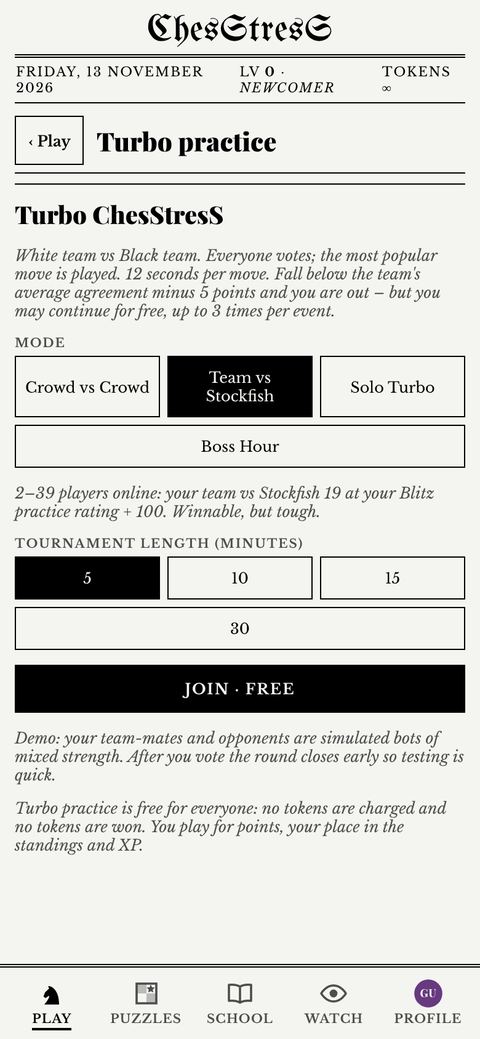
White team against Black team on one board. Every player votes for a move; the most popular move is played. Your agreement is how often your vote matched the move your team played. Fall below the team's average agreement minus 5 points and you are out, unless you top up (up to 3 times per event).
Events: 5, 10, 15 or 30 minutes, and the Weekly Marathon that runs all week. Entry: 30, 50, 70 or 120 tokens; Marathon 150 a week. Free events cost nothing and are unrated.
No token prizes. You play for your TSR rating (beta), your place in the standings and ladders, and badges.
When there are not enough players, Stockfish plays for the other team. Those games are practice: no points, no badges and no TSR.
Turbo practice (offline, with a simulated crowd) is free and never rated.
Four armies on one cross-shaped board. Everyone plays for themselves, so the game is as much about choosing whom to attack as about finding good moves. It is a game for friends and family: no ratings, no tokens.
The starting position. Spades (black) sit at the bottom, Hearts (red) on the left, Diamonds (gold) at the top, Clubs (green) on the right.
The board and the armies
The board is 14 by 14 squares with the four corners cut away: 160 squares in all.
Each army is a card suit: Spades, Hearts, Diamonds, Clubs. Every piece carries its suit sign, so you can tell the armies apart even without colours.
Each army has the 16 pieces of chess: a king, a queen, two rooks, two bishops, two knights and eight pawns.
You always see your own army at the bottom of the screen.
Whose move it is
Spades start. Play goes clockwise: Spades, Hearts, Diamonds, Clubs.
The ring around a player's picture shows whose turn it is. With a move timer the ring also counts the time down.
If you run out of time, the game plays a safe move for you. After the third time-out your army is out of the game.
How the pieces move
All pieces move as in chess.
Pawns walk away from their own side: one square, or two from the starting line. They capture one square diagonally forward.
En passant: a pawn that has just made a double step can be captured by an enemy pawn as if it had moved only one square. Any opponent may do this, until the owner of the pawn moves again.
Promotion: a pawn becomes a queen on the 8th line counted from its own side. That is just past the middle of the board, so pawns promote sooner than you expect.
Castling as in chess: the king moves two squares towards a rook and the rook jumps over it. Neither may have moved, the squares between them must be empty, and the king may not be in check or pass over an attacked square.
Check, checkmate and stone armies
Any opponent can give you check. You must always get out of it, and you may never leave your king attacked.
If it is your turn and you have no legal move, you are out: checkmated if your king is in check, stalemated if it is not.
You are also out if you resign or run out of time three times.
The army of a player who is out turns to stone. Stone pieces stay on the board as obstacles. They attack nothing, they give no check, and capturing them is worth 0 points.
Hearts are out: the army has turned to stone. The grey pieces only block the way.
Points
What happens
Points
Capturing a pawn
1
Capturing a knight or a bishop
3
Capturing a rook
5
Capturing a queen (a queen that was a pawn counts 1)
9
Capturing a stone piece
0
Checkmating a player (shared equally if several players give check)
20
Checkmating the player who wears the crown
30
Being stalemated (the points go to the stalemated player)
10
Being the last king standing
20
The crown: the player who is alone in the lead wears a crown on the king. Checkmating that player is worth 30 points instead of 20, so the leader becomes everyone's target. The host of a table can switch the crown off.
The end: the game is over when only one king is left, or after 150 rounds. The player with the most points wins. You can win on points without being the last one alive.
Pairs (two against two)
The players sitting opposite each other are partners: Spades with Diamonds, Hearts with Clubs.
You cannot capture your partner's pieces, and your partner's pieces never give you check.
There are no points. The pair that checkmates one of the opponents wins at once. If any player is stalemated, the game is a draw.
Ways to play
Solo: you against three computer players. Three levels: Easy, Tricky, Sharp.
Same table: two to four people share one phone or tablet. Empty seats are taken by computer players. The board can turn to face the player whose move it is.
Online table: create a table and send your friends the 5-letter code. The host chooses the rules (free-for-all or Pairs, the crown, the move timer: none, 30 seconds, 60 seconds or 2 minutes), fills empty seats with computer players and starts the game. Creating a table is part of the Max membership; joining is free for everyone.
Quick table: play with whoever is waiting. Seats still empty after a short wait are taken by computer players.
Online, a player who loses the connection is played by the computer until they come back. Reactions are six fixed pictures; there is no free chat.
Tips for your first games
Watch all three opponents, not only the one in front of you. An attack can come from the side.
Do not rush to be the leader. The crown makes you the most valuable target on the board.
Two players attacking the same king often give checkmate together, and then they share the 20 points.
Stone pieces are good shelter. A king behind a stone wall is hard to reach.
Push pawns: the promotion line is close.
8b. Wild Stressed (chess with the Pegasus and the Griffin)
Chess with two new pieces on a bigger board. It is first of all a game for two; a version for four is one tap away. Unrated, without tokens. The two new pieces wear a red outline so you can spot them at once.
Wild Stressed for two: the starting position. The Griffin stands beside the queen, the Pegasus beside the king.
The game for two
The board is 10 by 10. White is at the bottom and moves first.
Each side has ten pawns and ten pieces. From left to right for White: rook, knight, bishop, Griffin, queen, king, Pegasus, bishop, knight, rook.
The pieces of chess move as in chess.
Pawns move one square, or two from the starting line, capture diagonally and capture en passant. They become queens on the last rank.
Castling: the king moves two squares towards a rook and the rook jumps over it. Neither may have moved, the squares between them must be empty, and the king may not be in check or pass over an attacked square.
Checkmate wins. A draw: stalemate, the same position three times, 50 moves without a capture or a pawn move, only the two kings left, or by agreement. You can offer a draw or resign. With a move timer, running out of time loses the game.
The Pegasus
The Pegasus is a knight with wings. It makes a knight jump, and it may repeat the same jump in the same direction, again and again, as long as each landing square is empty. Like a knight it jumps over the pieces in between.
From a distance it captures and gives check only with a single knight jump. A piece that is two or more jumps away is safe from it, and it also stops the ride.
It also captures a piece standing right next to it, on any of the eight squares around it, straight or diagonal. It gives check from there too. It never moves to such a square when it is empty.
The Pegasus on d4. Green dots: squares it can ride to. Red rings: pieces it can capture: one jump away, or right next to it (the pawn on d5). The pawn on f8 is two jumps away: it cannot be captured and it ends the ride at e6.
The Griffin
The Griffin first takes one step diagonally. From that square it may fly on in a straight line, along the rank or along the file, away from where it started, as far as the way is free. It may also stop on the first square.
It cannot jump. If the square of its first step is taken by one of its own pieces, that whole direction is closed. If an enemy piece stands there, the Griffin can capture it, but it cannot fly on.
It also captures a piece standing right next to it, on any of the eight squares around it, and gives check from there. To an empty square beside it, it moves only with its diagonal step.
The Griffin on e5. Green dots: squares it can reach. Red rings: pieces it can capture. Its own pawn on f6 closes that corner completely. The bishop on d4 can be captured, but it blocks the flight behind it. The pawn on e4 stands right beside the Griffin, so it can be captured too.
How strong are they?
The Pegasus and the Griffin are each worth about 4 points: more than a knight or a bishop (3), less than a rook (5). The Pegasus is best on an open board where it can ride far. The Griffin is best when the squares next to it are free.
The game for four
Wild Stressed for four: the starting position on the 16 by 16 board.
Tap Four players on the Wild Stressed screen.
The rules are those of Four Stressed (section 8a): play goes clockwise, armies turn to stone, points, the crown, 150 rounds, Pairs.
The board is 16 by 16 with the corners cut away, and every army has ten pawns and ten pieces.
Capturing a Pegasus or a Griffin is worth 4 points.
Pawns become queens on the 9th line counted from their own side.
Ways to play
Computer: three levels; you choose White or Black.
Same device: two people on one screen.
Online table: invite a friend with a code. You can set a move timer: none, 30 seconds, 60 seconds or 2 minutes.
Quick game: play the next player who is waiting.
Playing for two is free for everyone, online too. Creating a four-player online table is part of the Max membership; joining is free.
Tips for your first games
Keep the squares diagonally next to your Griffin free. A Griffin hemmed in by its own pawns cannot move at all.
A Pegasus far away is not a threat to your king: only its single jump gives check.
To stop a Pegasus ride, put a piece on one of its landing squares.
The board is wider than in chess. Castle early: attacks come from further away.
9. Puzzles, School and Game review
Puzzles: find the best move. Over 3,400 positions.
School: seven lessons for beginners: how the pieces move, capturing, check and checkmate, special moves, basic checkmates, first tactics and opening principles.
Game review (Profile › Game review): Stockfish analyses your game on your device: accuracy, an evaluation graph, the key moments and better moves with their variations. You can step through the game and play out other moves on an analysis board.
Saved games (Profile › Practice ratings & saved games): your last 50 games, which you can replay or copy as PGN.
Puzzles: themes, hint and solutionSchool: seven lessons
10. Watch
See live games of other players and recent results. You can make a newspaper-style clipping of a game to share. You may share screenshots and recordings of your own games anywhere.
11. Levels and ranks
You earn XP for every finished game: online, a win 20, a draw 8, a loss 3; against the computer more in stronger rooms (a win 20 in the School up to 95 against the Beast). Level 1 needs 100 XP and each next level about half as much again: 250, 500, 800, 1,300, 2,000, 3,200, 5,000, 7,500, 11,000, 17,000, 26,000 and 39,000 XP in total for level 13.
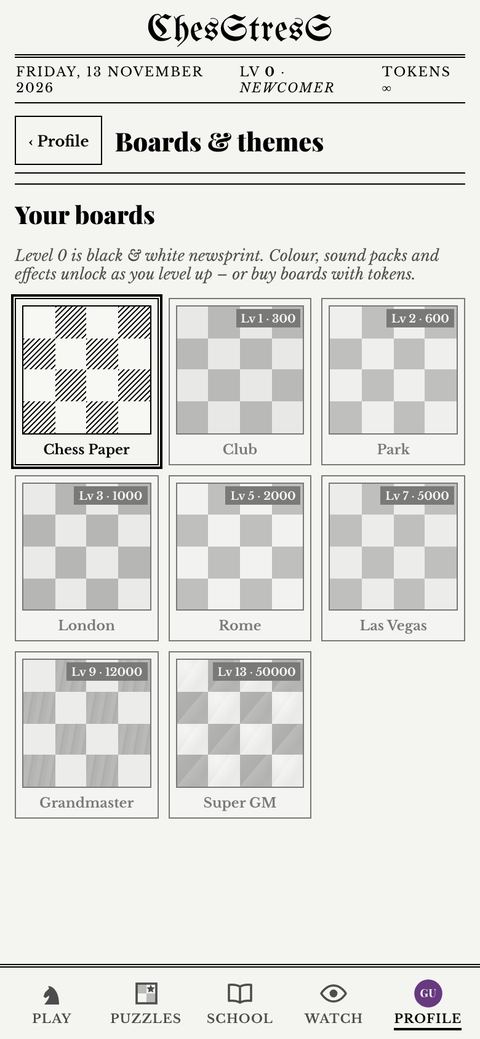
At level 0 the game is black and white, like a 1990s chess newspaper. Colour and boards open as you level up, or you can buy a board earlier with tokens.
Board
Free from level
Or buy for (tokens)
Chess Paper
0
–
Club
1
300
Park
2
600
London
3
1,000
Rome
5
2,000
Las Vegas
7
5,000
Grandmaster
9
12,000
Super GM
13
50,000
Move sounds: 20 to choose from in Settings, all free from the start (the default is Indicator).
Profile › Boards & themes: free from a level, or buy earlier
13. Tokens
A new account starts with 500 tokens. Every 4 hours you can claim 200 free tokens.
Earned tokens come from playing; bought tokens (when the shop opens) can only pay for boards and Turbo Live entries. Anything that can win tokens (room entries, tournaments, Turbo top-ups) uses earned tokens only, so money never buys an advantage.
Tokens have no cash value and cannot be sent to other players. Every change is in your token history (Profile › Account).
Spending controls (monthly limit, purchase pause) are in Profile › Account.
14. Ratings
CSR (ChesStresS Rating) has one rating per speed: Bullet, Blitz, Rapid, Classical and Correspondence. A “?” means it is still provisional. A speed you have not played yet starts from your other ratings, and a rating cannot fall more than 400 below your peak (the floor). TSR (Turbo StresS Rating, beta) rates Turbo Live. Everything about both, with worked examples: How ratings work.
15. Settings (Profile › Settings & sounds)
Setting
What it does
Language
Automatic (follows your phone), English, Polski, Français, Deutsch, Español, Italiano or 中文.
Show me as online
Off by default. On: others see your name, avatar and rating in “Players online”.
Accept challenges
Off by default. On: other players can challenge you directly.
Quick chat
Preset phrases in online games, on or off.
Board coordinates
Letters below and numbers to the left of the board.
Sounds and move sound
Move sounds on or off, and which of the 20 sounds (tap to hear it).
High-contrast board
In Your boards (Profile › Boards & themes): white and grey squares on any board you own. Free for everyone, from level 0.
Accessibility & view
Sound volume; flash the move on the board; vibration on moves and check (where the phone supports it); larger pieces; colour-blind friendly highlights (blue and orange); reduce motion; sound captions (“Check!”, “10 seconds left”, a pulsing clock) for players who do not hear the game; moves announced aloud in FIDE notation (“Knight f3, check”) for blind players (iPhone; Android coming); focus mode (the game screen shows only the board, clocks and buttons).
Intro music
The music of the opening animation, on or off. You can also switch it off with the speaker button on the intro itself; the game remembers it.
Move notation
Figurine (♘xd4), SAN (Nxd4) or long (g1f3).
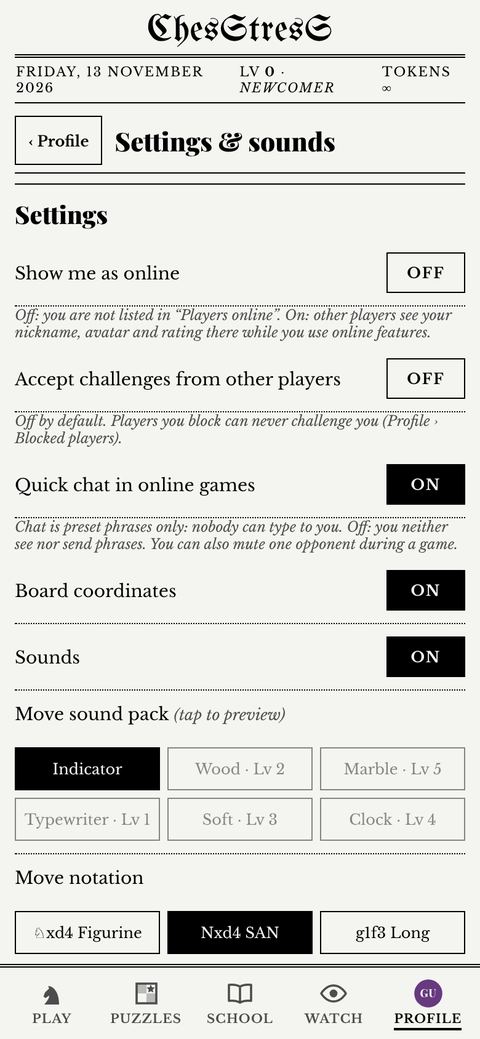
Profile › Settings & sounds
16. Your account
Profile › Avatar › Change: 24 free avatars or your initials; 6 premium animated avatars with the Max membership; and 3 that can only be earned: Boss slayer (beat the Boss in Turbo practice), Marathon champion and Marathon top 10.
Profile › Account: nickname, tokens and history, recovery code, spending controls, notices about your account and Delete account. For a copy of your data, email support.
Deleting is immediate and permanent. You can also ask from the web: Delete your account.
Accounts not used for 24 months are deleted.
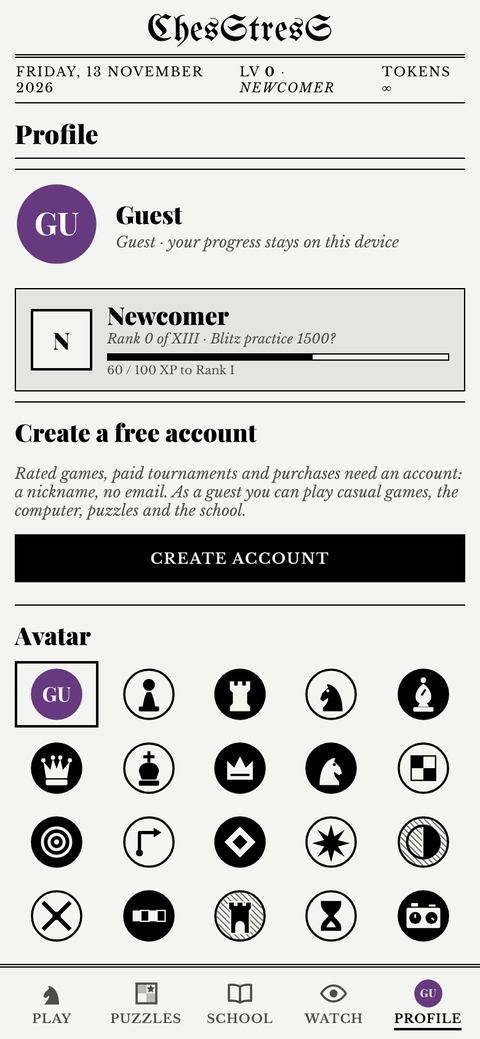
Profile: rank, account, avatar
17. Fair play and safety
Play your own moves: no engines, no databases during live games, no help from others, one account per person. No insults, swearing or harassment.
Report a player from the game screen, from “Players online”, or in tournaments and Turbo Live. You can also block anyone. A person reviews every report.
If an opponent is closed for cheating, your rating is corrected automatically and you see a notice.